Radian ULTRA R1 First Setup: Placement, HDMI and Its Nine Picture Modes
A first-setup guide for the Radian ULTRA R1: where to place it, how to connect sources and when to use each of its nine published picture modes.
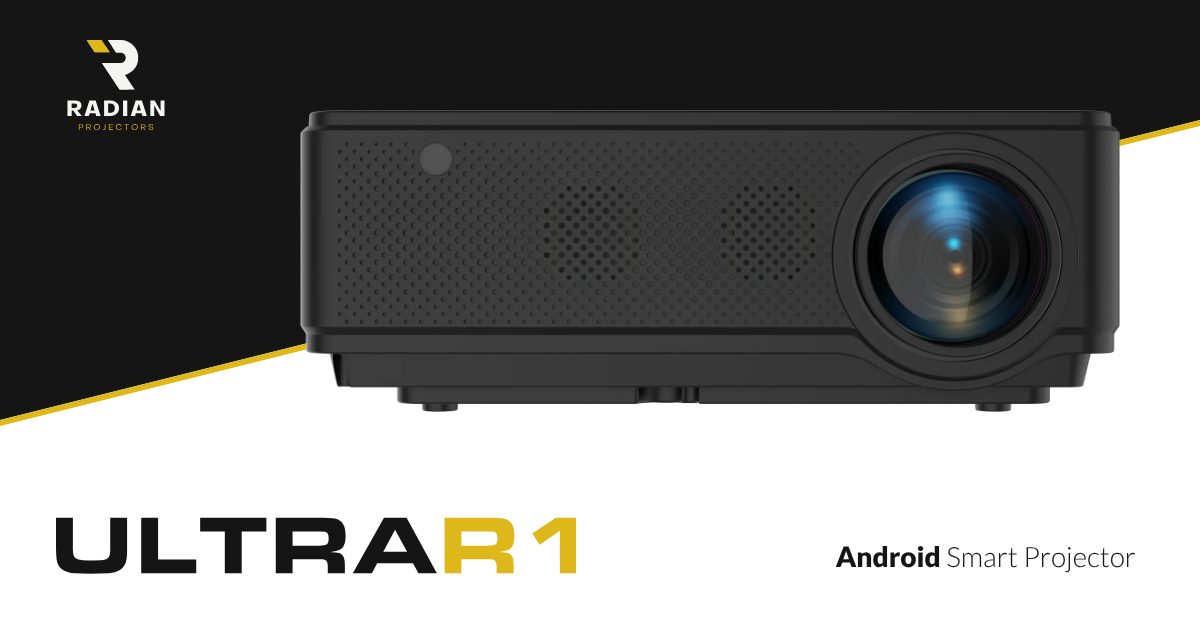
The Radian ULTRA R1 is the entry model of Radian’s ULTRA range, with a suggested retail price of $6,950. It has a compact cabinet with a speaker-style grille across the front and the lens on the right, and it shares the range’s published specifications: 8,000 lumens, a 40,000:1 native contrast ratio, a 0.8 short-throw ratio and Android as a built-in smart TV platform. This guide covers the first hour with the projector: where to put it, how to connect it and which picture mode to start with. It is based on Radian’s published information, not on our own testing.
Specifications come from the ULTRA R1 page on radianprojectors.com.
Step 1: work out the placement
Short-throw projectors are placed by distance, not by room size. With the R1’s 0.8 throw ratio, multiply the picture width you want by 0.8 to get the lens distance:
| Picture width | Approximate lens distance |
|---|---|
| 1.5 m | 1.2 m |
| 2.0 m | 1.6 m |
| 2.5 m | 2.0 m |
| 3.0 m | 2.4 m |
Account for the lens position
The R1’s lens sits on the right of the cabinet. If the projector shares a shelf with other equipment, put it so the lens, not the middle of the box, lines up with the centre of the screen. That keeps the image square without heavy keystone correction.
Step 2: connect your sources
Radian lists two ways to get content onto the screen:
- Android, built in. Streaming apps run on the projector itself, which is the simplest option for films and series.
- HDMI and video cable. Use HDMI for a games console, a Blu-ray player or a laptop.
Plan your audio at the same time. In a living room, an external sound system usually makes a bigger difference than any picture setting.
Step 3: choose a picture mode
Radian lists nine picture calibration modes for HDMI sources. Here is a sensible starting point for each:
For films
- Cinema film modes (two): start here for films in a dark room.
- Cinema digital: an alternative for digitally shot or streamed films.
- Reference: the one to use if you want the least processed look.
For everyday viewing
- TV: broadcast and series.
- Photo: still images and slideshows.
- Game: consoles and PC games.
For lit rooms
- Bright cinema and bright TV: for daytime or a room with lights on.
Radian lists a colour temperature of 9,000 K, a cool white. If whites look too blue for your taste, the cinema and reference modes are the first to try.
Step 4: settle into daily use
Once the projector is placed and connected, a few habits help. Keep the remote’s input choice simple: if most of your viewing happens in Android apps, there is little reason to keep a separate streaming box on HDMI. If you use a console, switch to game mode before playing rather than leaving a cinema mode on. And if the room is used at different times of day, remember that the bright modes exist for the afternoon and the cinema modes for the evening, so changing mode is often the quickest fix when the picture looks washed out or too dark.
It is also worth noting the image size you settled on. Because placement decides picture size on a short-throw projector, a small mark on the shelf makes it easy to put the R1 back in the same spot after moving it for cleaning or for an outdoor screening.
Step 5: check the basics
Radian lists the fan at 25 dB and the projector system as an “8K laser tech lamp”, while the lamp section describes a 250 W lamp rated at 100,000 hours. Keep the vents clear, and if you need to know exactly which light source your unit uses, ask your retailer or Radian at info@radianprojectors.com.
Frequently Asked Questions
How far from the wall should the Radian ULTRA R1 be?
Multiply the picture width by 0.8. For a two-metre-wide image, the lens should be about 1.6 metres from the wall or screen.
What picture modes does the Radian ULTRA R1 have?
Radian lists nine modes: two cinema film modes, cinema digital, reference, TV, photo, game, bright cinema and bright TV.
Can I stream directly on the ULTRA R1?
Yes. Radian lists Android as a built-in smart TV platform, so streaming apps can run on the projector without a separate box.
What is the price of the Radian ULTRA R1?
Radian lists the ULTRA R1 at a suggested retail price of $6,950. The actual selling price can differ by retailer.
Related posts
Best OLED TVs 2026: LG B6 leads 2 of 5 lists
We compared 5 'best OLED TVs' lists (TechRadar, Tom's Guide, Trusted Reviews, WIRED, CNET): LG B6 appears in 2 of them. See which picks they agree on.
Best projectors 2026: 4 picks from 4 lists
We compared 4 'best projectors' lists (Tom's Guide, What Hi-Fi?, Trusted Reviews, CNET): Hisense M2 Pro appears in 2 of them. See which picks they agree on.

Setting Up the Ambienti M27 in a Living Room: Placement, Cables and Sources
How the Ambienti M27 5.1 system fits a real living room: where the master module and five satellites go, how sources connect, and what to check first.